Action Log
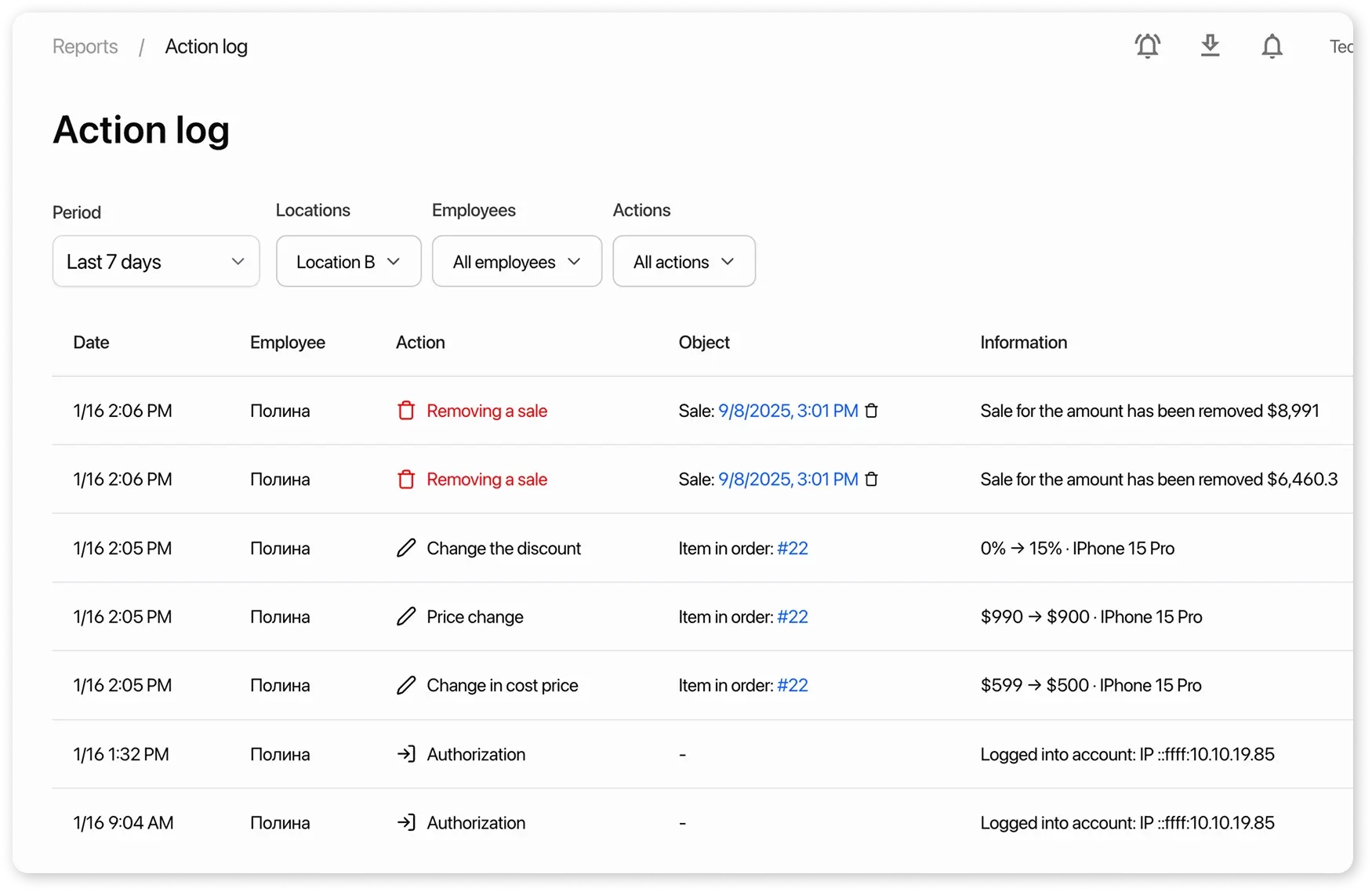
Action Log is a report that reflects important changes in the system related to employee authentication, orders, sales, and finances.
Changes Logged in the Audit Journal
Section titled “Changes Logged in the Audit Journal”Authentication
Section titled “Authentication”Displays employee logins to the system:
- using a password
- using a code sent by email
If a login appears suspicious, ask the employee to terminate all active sessions and change their password.
Deletion of an Order, Sale, and Payment
Section titled “Deletion of an Order, Sale, and Payment”Records the fact of complete deletion of an order, sale, and payment from the system.
- By clicking the action, you will see the last saved copy of the order, sale, and payment: who deleted it and when, the client, products and services, amounts, and payments.
- If data needs to be restored, use the last saved copy for verification and manual recovery.
Change of Price, Cost, and Discount
Section titled “Change of Price, Cost, and Discount”Records changes to the financial parameters of products and services in orders and sales.
- By clicking the action, you will see which fields were changed and the values before → after.
- If the change raises concerns, check who made it and when, and compare the data with the agreed terms. This helps quickly identify the cause of discrepancies in amounts.
Change of Product and Service Quantities
Section titled “Change of Product and Service Quantities”Records changes to the quantities of items added to orders and sales.
- By clicking the action, you will see who, when, and which product was changed, and the values before → after.
- If the change raises concerns, review the change record and compare the data with the agreed terms. This helps quickly identify the cause of discrepancies in amounts.
Navigating to orders and sales from the log
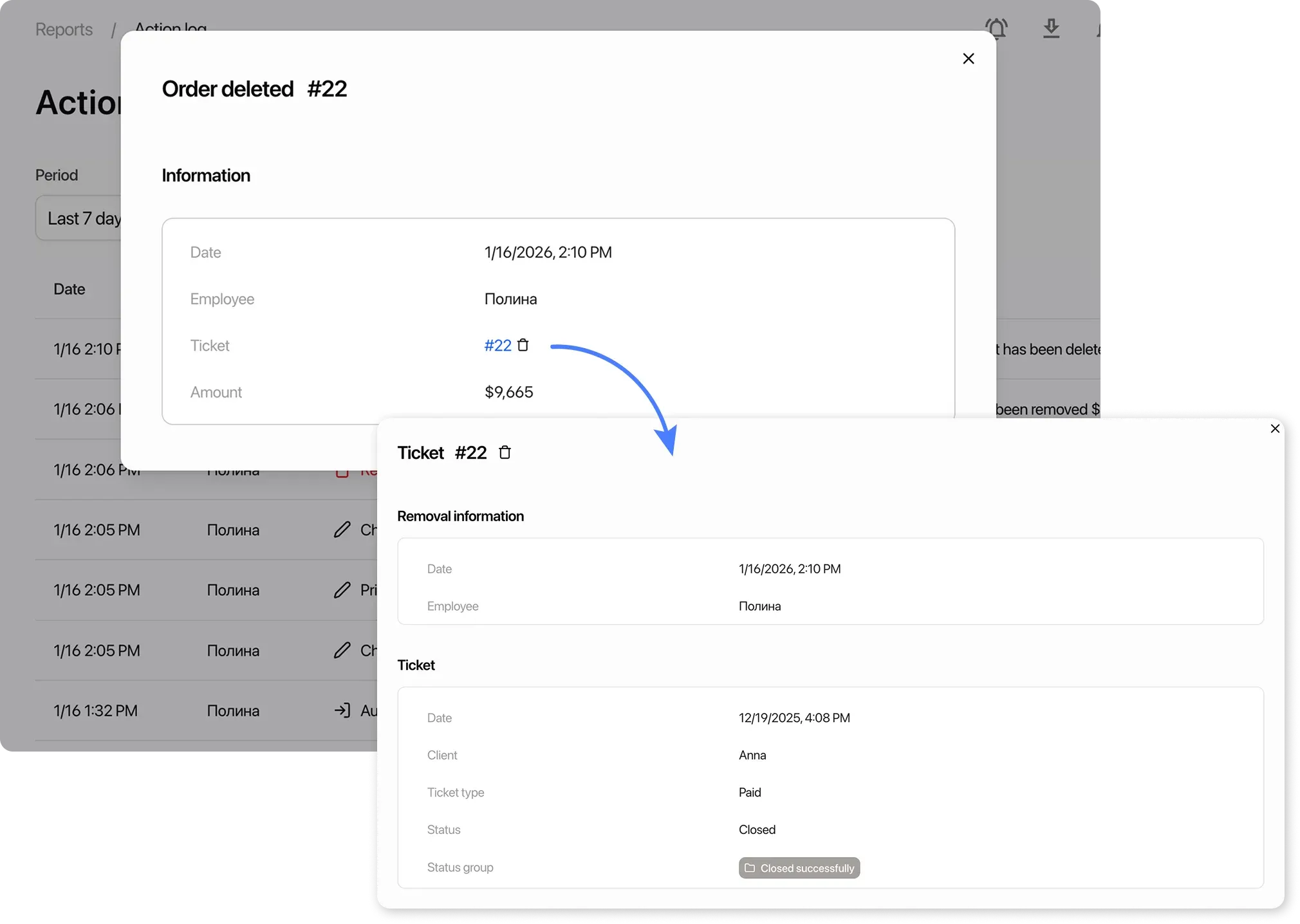
Section titled “Navigating to orders and sales from the log”Clicking on a log entry allows you to view details. It displays information about the change as well as related objects — the order or sale:
- If the order or sale is available in the current location, you can navigate to its card from the details;
- If the order or sale was deleted, the details will show the last saved version;
- If the action was performed in another location, navigation to the order or sale is unavailable. To view it, you need to switch the location.
Log filters
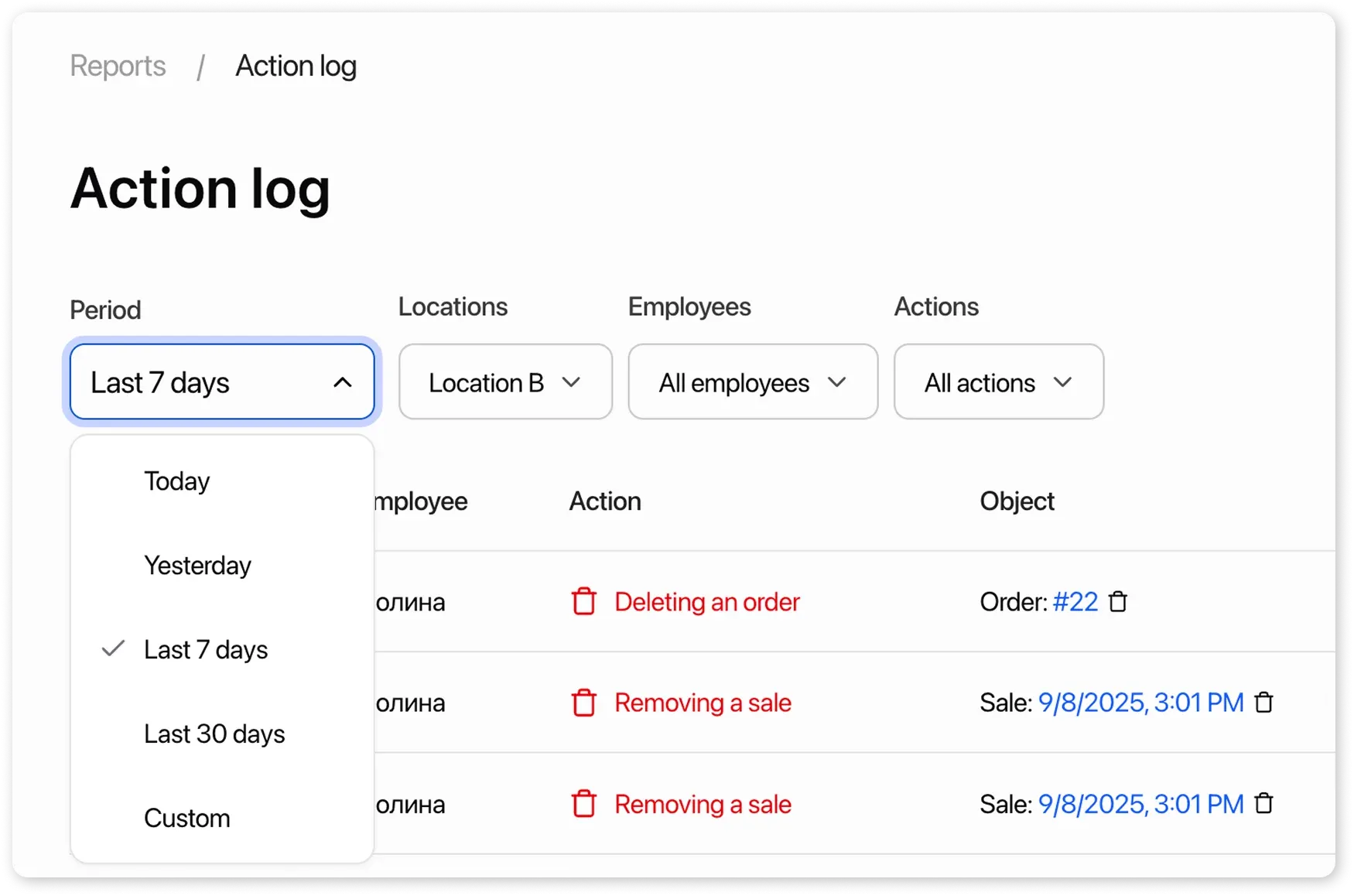
Section titled “Log filters”To quickly find the events you need, the log provides a filtering system.
Date filter
- Allows you to view actions for a selected period. Note: when setting the period manually, you can select no more than 30 days
Location filter
- Allows you to view actions for all locations or specific ones. Note: when selecting a location in the filter, all employees in the system will be shown, not just those assigned to that location.
Employee filter
- Allows you to select one or more employees and view only their actions.
Action type filter
- Allows you to filter the log by event type and view only selected actions.