Location or Company: what to choose for managing a network in HelloClient
When it’s better to choose locations
Section titled “When it’s better to choose locations”Locations are ideal for a unified network, where all points need to operate under the same standards.
When you create a new location, the company settings are automatically synchronized, ensuring consistent rules and processes across the entire network.
What is shared across all locations:
Section titled “What is shared across all locations:”-
Client database
A client created in one location automatically appears in all others — convenient for network businesses and for working with returning clients.
-
Product catalog
Categories and product items are shared. If you create a product or a category in one location, it will appear in all of them.
At the same time, stock levels are different — each location has its own quantities. -
Service list and prices
Service categories and items are shared — if you add a service or change a price in one location, it instantly appears in all.
-
Printed documents
Templates are shared, but to display the correct data for each location, use variables:
location name, location phone, location address. -
Order statuses — a unified system for the whole network.
-
Payment methods — the same for all locations.
-
Payment tags — shared financial directory.
-
Employee list and permissions
You can restrict employees’ access to certain locations — this is configured in the employee profile.
-
Client and order forms — identical across all locations.
-
Handbooks and some shared settings, such as default product warranty.
How to add and configure a location
When it’s better to choose companies
Section titled “When it’s better to choose companies”Companies are used when each point must operate fully independently.
This is suitable when each location is essentially a separate business with its own structure.
Companies have separate:
Section titled “Companies have separate:”- client databases
- order databases
- financial accounting (payments)
- service lists and prices
- inventory and product catalog
- reporting and documents
If needed, you can partially transfer information from one company to another.
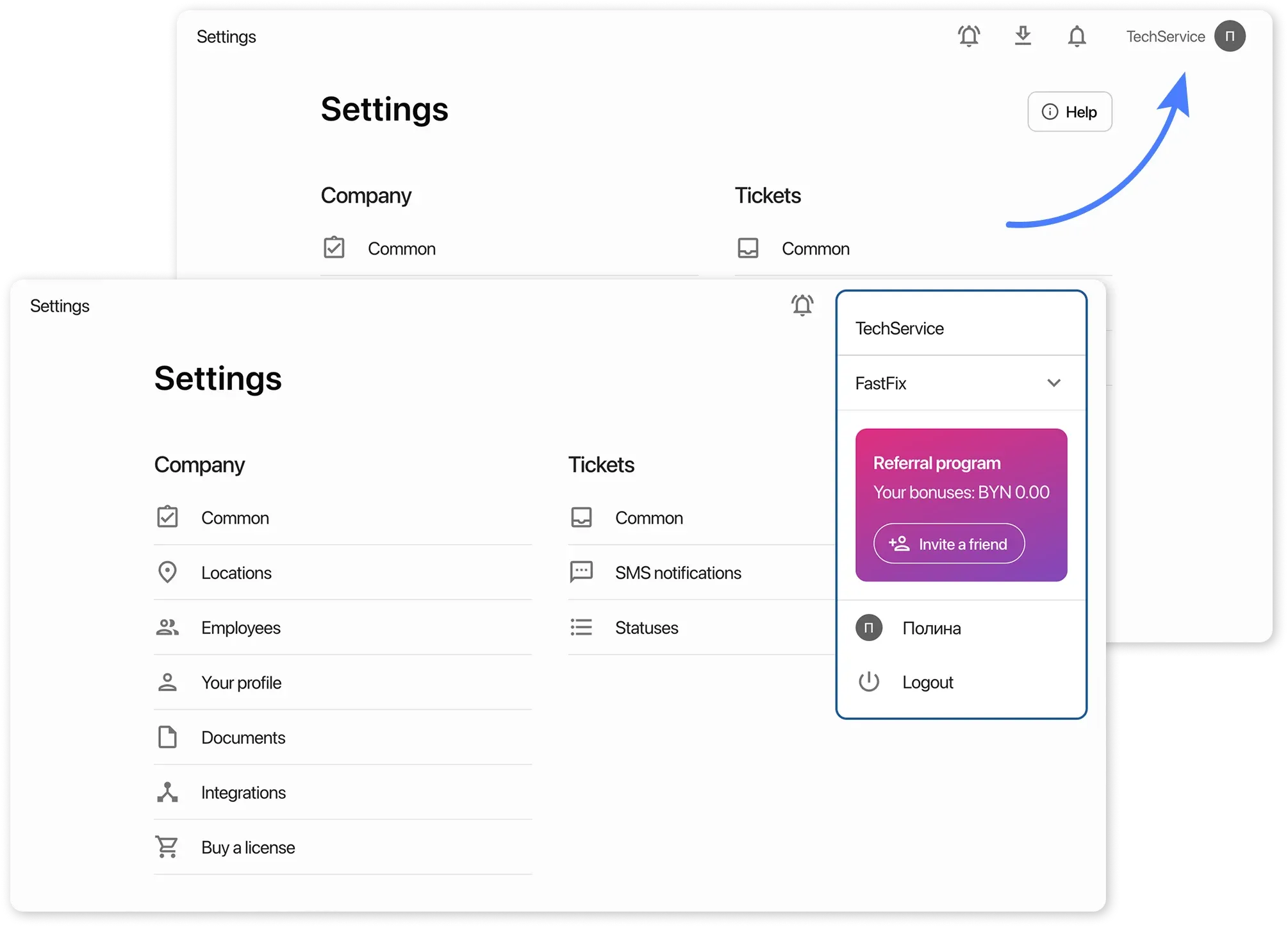
Switching between companies works the same way as switching between locations: you can change your workspace through the menu without logging out.
Pricing
Section titled “Pricing”Payment in the system is fixed and is charged per one unit — a location or a company.
The cost of 1 location = the cost of 1 company.
How payment works when creating new locations or companies
Section titled “How payment works when creating new locations or companies”- Adding a new location
If you create an additional location, your already paid days are automatically divided equally among all locations.
At the next renewal, the payment will be calculated for all locations at once.
- Adding a new company
If you create a new company, it counts as a separate unit.
In this case, payment is made separately for each company, regardless of what has already been paid in the other.